
Split into eight panes
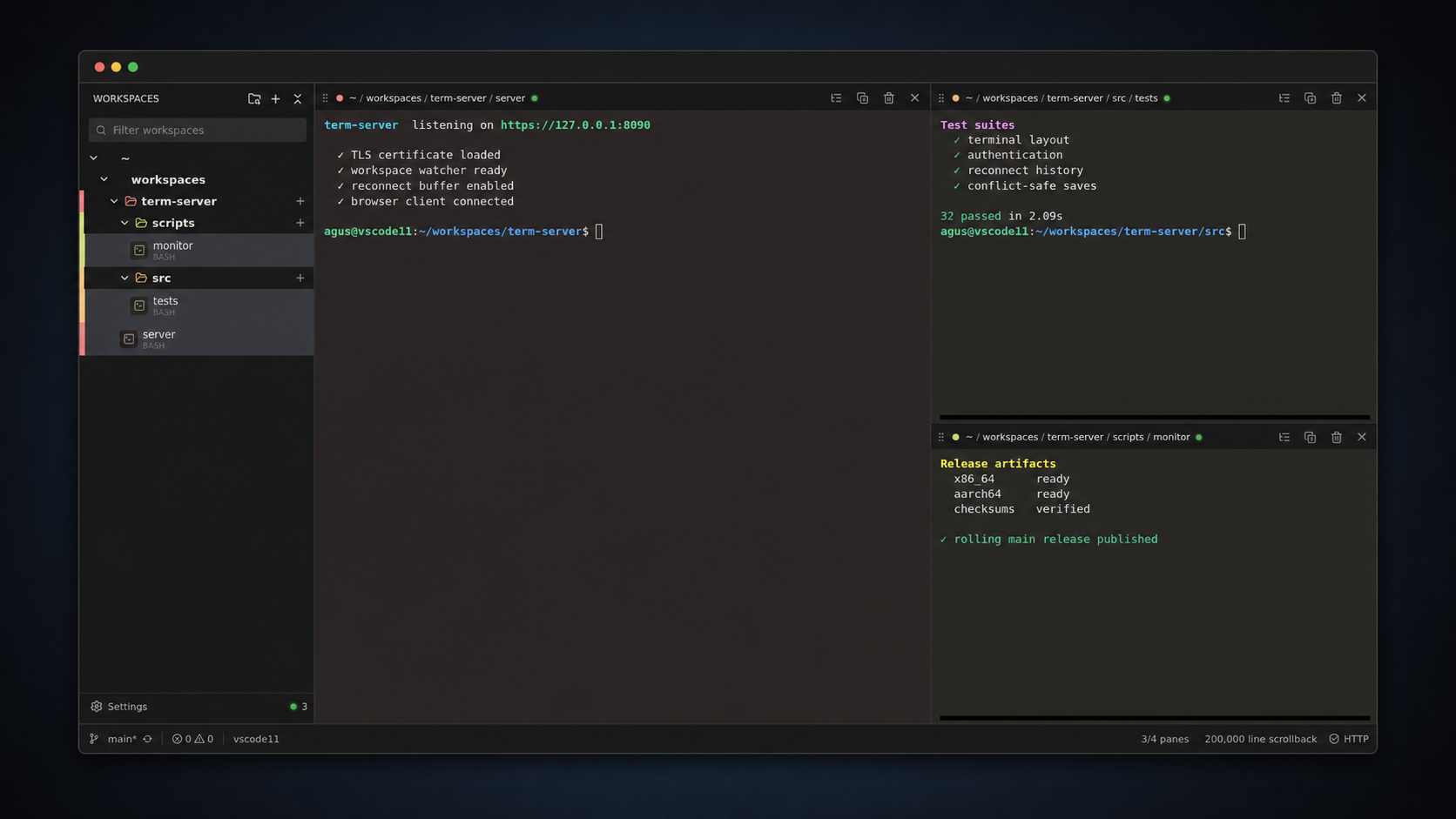
Drag a terminal onto any edge to build nested layouts. Each browser tab keeps its own arrangement.
term-server keeps native PTYs running on your machine and gives you a fast, focused workspace from anywhere — desktop, tablet or phone. Close the tab, lose Wi-Fi, ship an update: your sessions keep going.
curl -fsSL …/install.sh | sh
Resilient sessions
A private session broker owns every PTY. The web process can reload, reconnect or even replace itself with a signed update — the broker, and your running processes, stay exactly where they were.
Agent awareness
Codex, Claude, Pi, OMP and Hermes sessions report working, blocked, idle and closed. An agent waiting on approval is flagged Needs you for as long as it waits — no more discovering a stalled run an hour later.
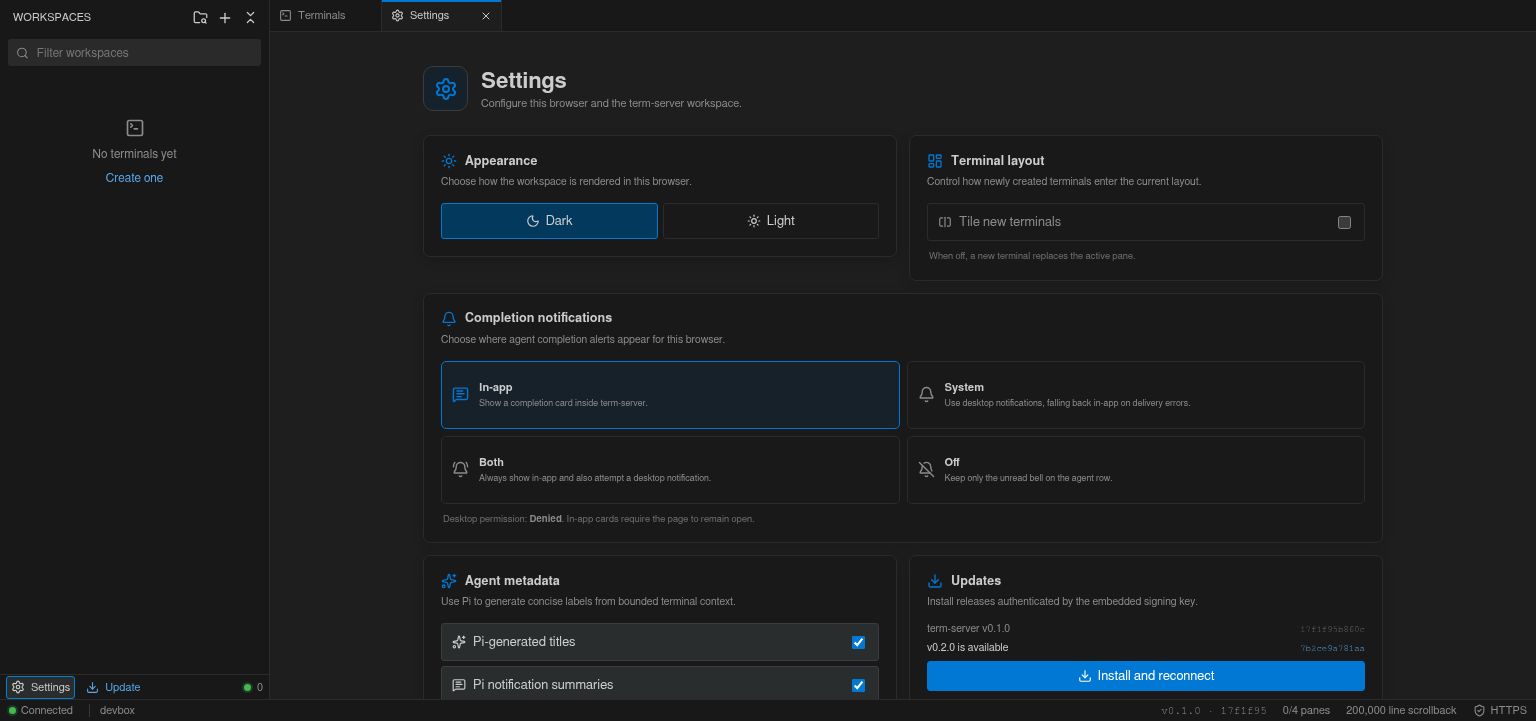
An unseen return to idle gets a distinct bell until you focus it. Send alerts in-app, to the desktop, both, or nowhere — cards inherit their terminal's color.
One marked terminal can read screens, type, name, spawn and stop the others — using the agent you choose. No AI provider is embedded in the server.
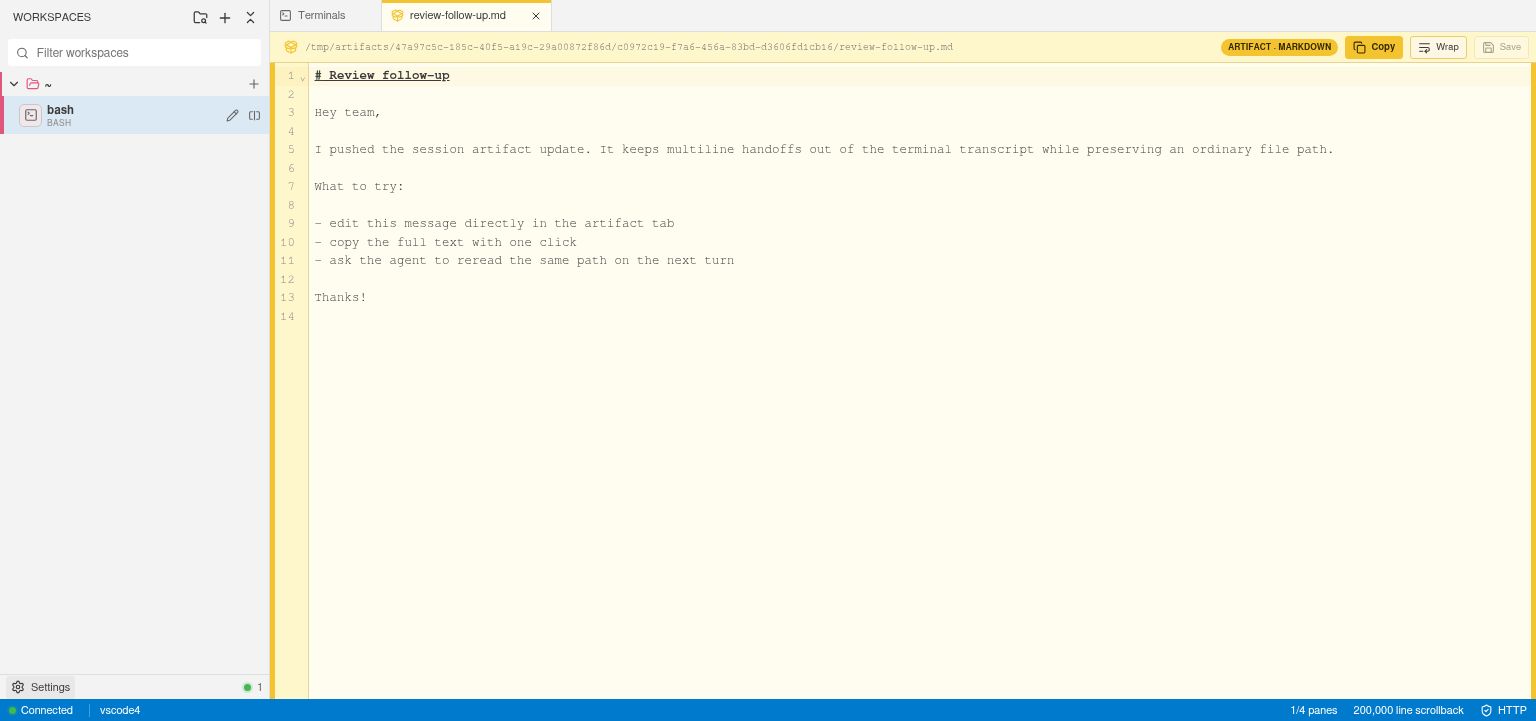
Multiline handoffs stay attached to the agent that made them, with inline text, image and PDF previews and a full editor. Still a normal file path for cat.
Terminal-scoped access
Each terminal has one Access panel. Agents request secrets or sudo commands; you approve them in the browser. Secret values are injected by the broker and never returned to the agent. Sudo runs only the exact, immutable command you reviewed.
STRIPE_API_KEYEverything a terminal needs
The extras show up when you need them and stay out of the way when you don't.
Drag a terminal onto any edge to build nested layouts. Each browser tab keeps its own arrangement.
Terminals follow their shell's live directory into a collapsible tree — zero project setup.
xterm.js WebGL, truecolor, bundled Nerd Font symbols, Kitty keyboard input, OSC 52 clipboard.
Up to two million lines per pane, with search and clickable links that open files in the editor.
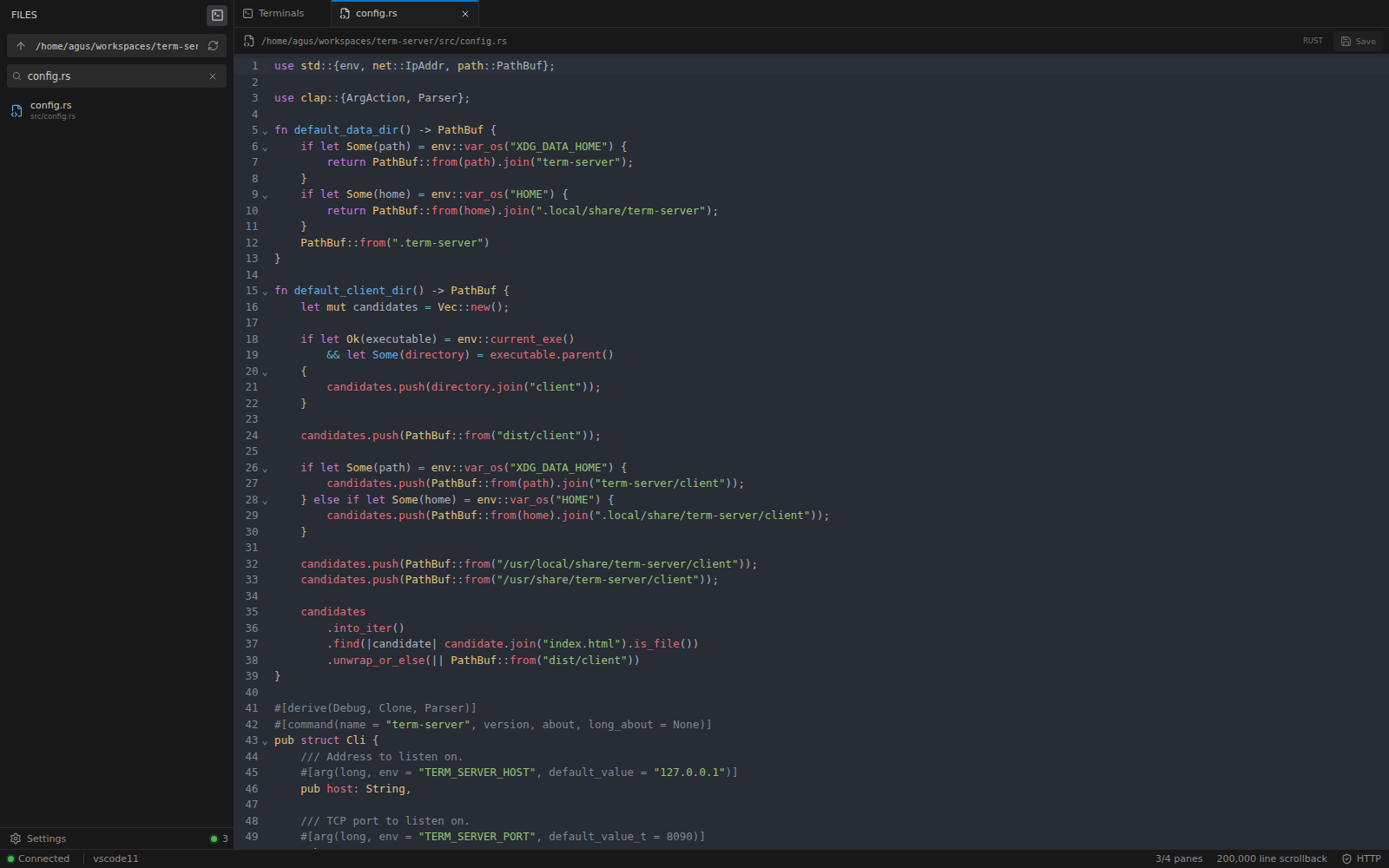
Searchable explorer, image & PDF previews, and a lazy CodeMirror editor with atomic saves and conflict detection.
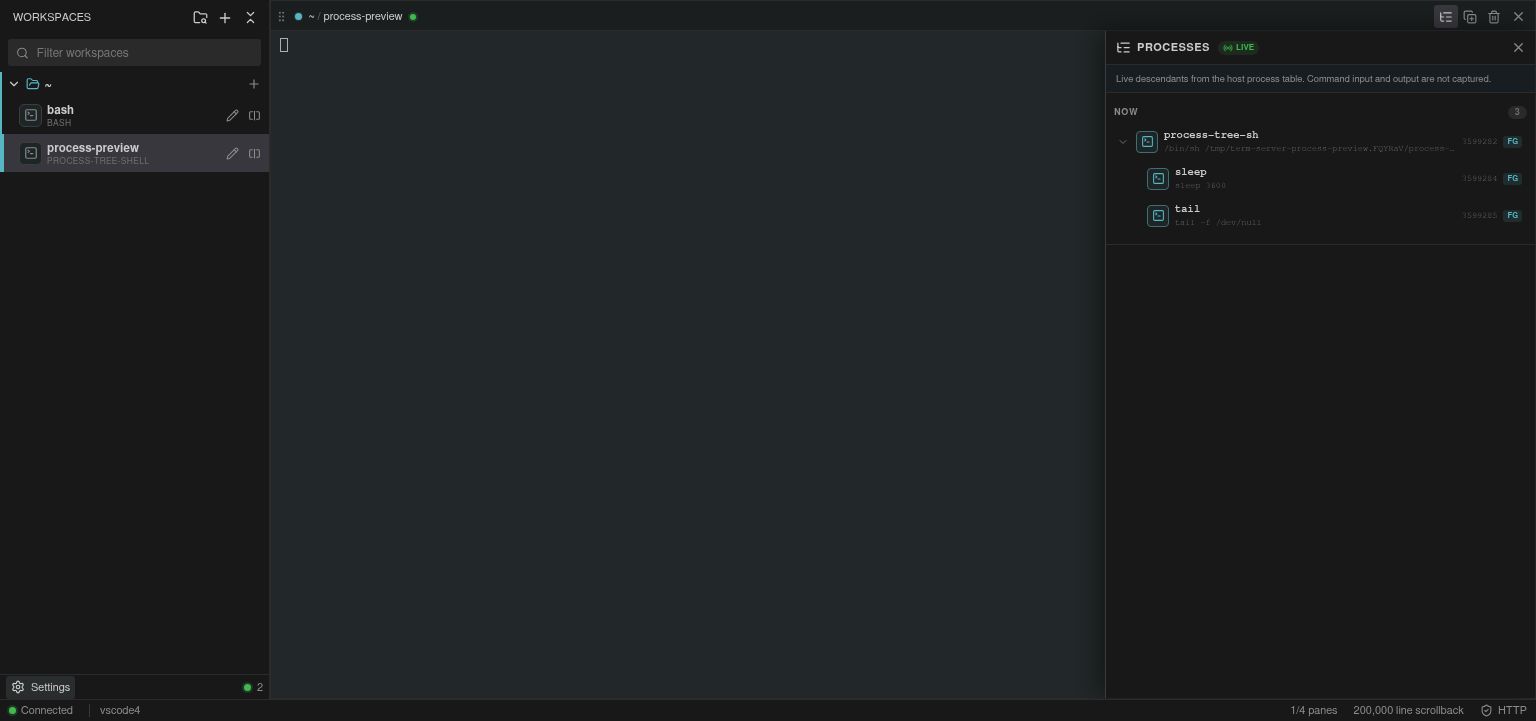
A /proc sampler shows descendants, foreground job, CPU and memory — and sends SIGTERM when you need it.
Your browser microphone becomes the host's default input; host audio plays through your browser. Great for voice agents.
The status bar auto-discovers Claude, Codex and z.ai credentials and shows your remaining quota.
Loopback binding, HTTPS, Argon2 hashing, signed HTTP-only cookies, origin checks, login throttling, bounded memory.
Phone & tablet
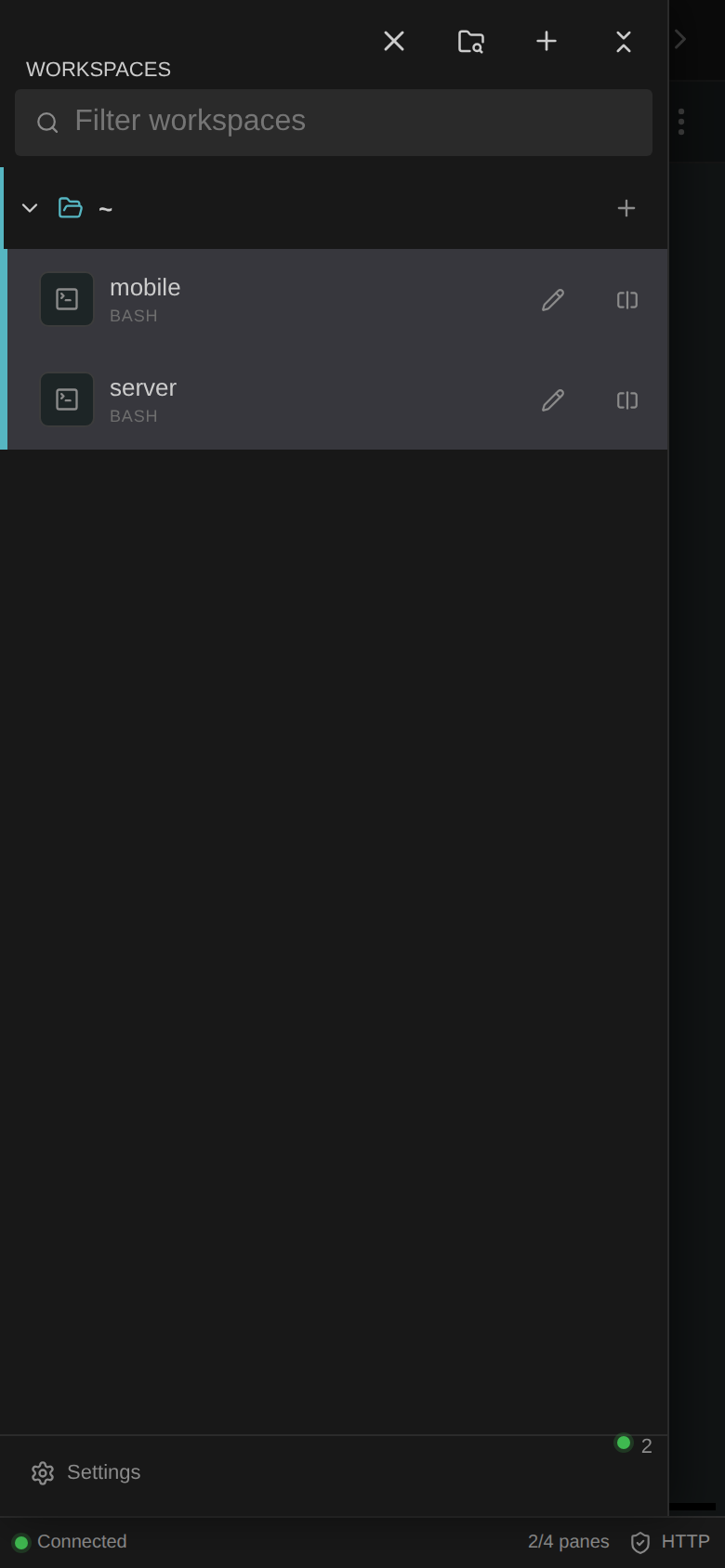
Touch-sized navigation, a workspace drawer, focused pane switching and a keybar that doesn't need a hardware keyboard. Add it to your home screen and it launches as its own app.
The real thing
Coming soon
Hosted term-server instances: a dedicated Linux machine with term-server preinstalled, a trusted TLS certificate and your own subdomain. Open a browser and start working — your agents keep running after you close the laptop.
One email when hosted instances launch. No spam, no sharing.
you.termserver.cloud| Self-hosted | Hosted soon | |
|---|---|---|
| Setup | One-line installer on your Linux box | Ready in under a minute |
| TLS certificate | Self-signed, your own, or a reverse proxy | Trusted, automatic |
| Updates | Signed auto-updates (you click) | Signed auto-updates, managed |
| Always-on agents | If your machine is on | Yes, 24/7 |
| Your data | Never leaves your machine | Dedicated VM & encrypted disk, exportable anytime |
| Features | Identical — same open-source binary | |
Self-host
The installer detects your architecture, verifies the Ed25519 signature on the checksum list, checks the archive's SHA-256 and installs for the current user. No root, no daemon zoo.
main releases, or opt into the signed beta channel# install the latest signed release
$ curl -fsSL https://raw.githubusercontent.com/Agusx1211/term-server/main/install.sh | sh
$ ~/.local/bin/term-server
✓ signature verified (Ed25519)
✓ sha256 matches term-server-linux-x86_64.tar.gz
term-server listening on https://127.0.0.1:8090
initial password: printed once, stored as Argon2 hash$ export TERM_SERVER_PASSWORD='use-a-long-random-secret'
$ export TERM_SERVER_BUILD_COMMIT="$(git rev-parse HEAD)"
$ docker compose up --build
# runs as UID/GID 10001 — bind-mounted projects
# must be readable by that user$ mkdir -p ~/.config/systemd/user ~/.config/term-server
$ curl -fsSL https://raw.githubusercontent.com/Agusx1211/term-server/main/deploy/term-server.service \
-o ~/.config/systemd/user/term-server.service
$ printf 'TERM_SERVER_PASSWORD=%s\n' '…' > ~/.config/term-server/environment
$ chmod 600 ~/.config/term-server/environment
$ systemctl --user daemon-reload
$ systemctl --user enable --now term-server# Rust 1.88+, Node.js 22+, npm, a C toolchain
$ git clone https://github.com/Agusx1211/term-server
$ cd term-server
$ npm ci
$ npm run build
$ ./target/release/term-serverFAQ
No. Hosted instances will run the same signed release you can install yourself — the machine, TLS, uptime and updates are managed for you, with no extra features locked away.
The HTTPS process verifies the signed manifest, checksum, architecture and embedded commit, then restarts itself. Compatible older brokers keep running existing terminals and drain on their own; new terminals start on the current broker.
Only people with your password. Each instance will be a dedicated VM with its own encrypted disk. Signing in is equivalent to SSH access for that user, so treat the password accordingly — and we never have a copy of it; only its Argon2 hash exists on your machine.
Yes. Install Claude Code, Codex, Pi, OMP, Hermes or anything else, just like on any Linux box. term-server detects them automatically, and the Access panel lets you grant keys per terminal without pasting them into a transcript.
Anytime. Export your home directory and data, install the same binary on your own machine, and carry on. There's no proprietary format to escape from.
The server targets Linux (x86-64 and ARM64); the process inspector and virtual audio devices are Linux features. The browser client works everywhere — including phones and tablets.
Install it in one line today. Hosted instances are coming soon.